


Ви можете налаштувати параметри та отримувати сповіщення в програмі Gate, дотримуючись нижченаведених кроків.
Де я можу змінити налаштування та сповіщення додатку Gate?
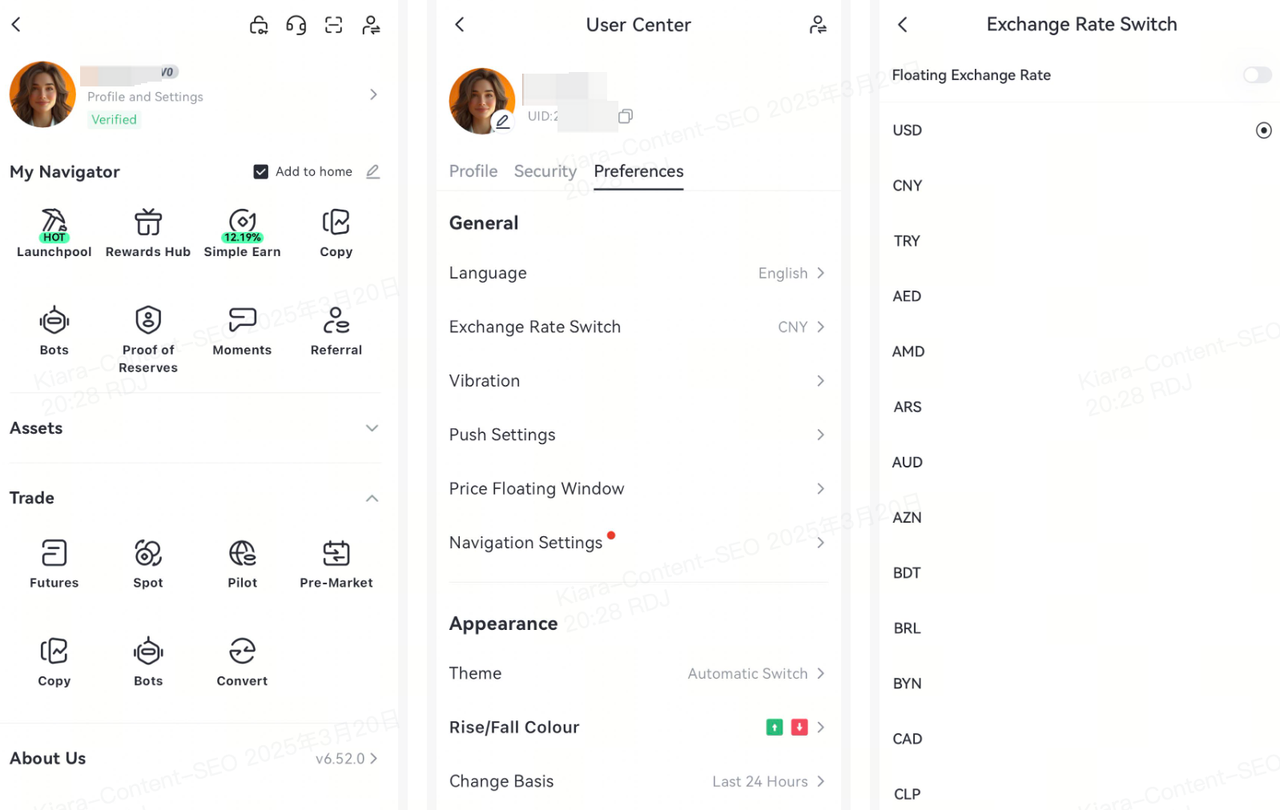
Увійдіть в додаток Gate, перейдіть на домашню сторінку, а потім клацніть на значок аватара в верхньому лівому куті, введіть Центр користувача, натисніть «Налаштування»
Тут ви можете налаштувати різні параметри додатка.
У тому числі загальні налаштування, такі як мовні налаштування, перемикання обмінного курсу, налаштування сповіщень та вікна спливаючих цін;
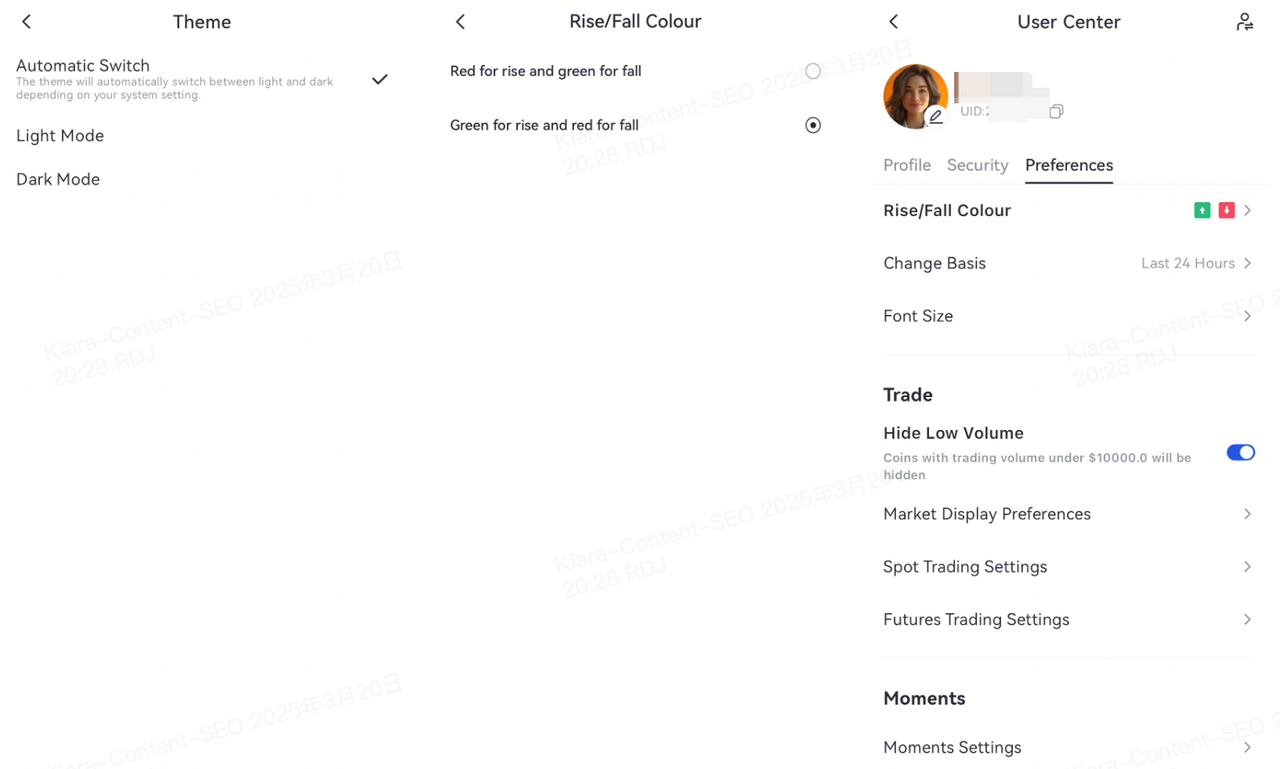
У налаштуваннях вигляду ви можете змінити загальні функції, такі як "Тема", "Колір вверху і внизу", "Час початку вверху і внизу", "Розмір шрифту" тощо.
Наданий тут зміст призначений лише для ознайомлення та освітніх цілей і не є фінансовою, інвестиційною, торговою чи юридичною порадою, а також не є пропозицією або закликом купувати чи продавати будь-які цифрові активи. Gate не надає жодних прямих чи непрямих заяв або гарантій щодо точності, повноти чи актуальності інформації, що міститься тут. Функціонал продукту, інтерфейси, правила та структура комісій можуть оновлюватися або змінюватися у будь-який час. Для отримання найактуальнішої інформації звертайтеся до останніх оголошень і фактичних даних, що відображаються на платформі Gate.
Інвестиції в цифрові активи пов'язані зі значними ризиками, а ціни можуть суттєво коливатися. Ви можете втратити всю суму своїх інвестицій. Приймайте рішення обережно, враховуючи власний фінансовий стан і рівень толерантності до ризику після повного розуміння супутніх ризиків. За потреби рекомендується звернутися до незалежного професійного фінансового чи юридичного радника.
Щоб отримати додаткову інформацію про потенційні ризики, зверніться до Розкриття інформації про ризики та Угоди користувача Gate.
